We build mobile and web applications that put services and working tools in the hands of their users. We design the experience, features and connections to the systems that support the product together.
Before choosing a platform, understand the context.
An app for field work has different needs from a customer portal. We start with users, devices and situations: what people need to do, which data they need and what happens when a connection or a step is unavailable.
Relevant features
The first version focuses on the journeys that make the product useful, with shared priorities.
A consistent experience
Interfaces, content and app behaviour follow the same logic across devices and areas of the service.
Planned connections
We consider the app alongside its backend and integrations, keeping the interface connected to the wider process.
POSSIBLE APPLICATIONS
Where it can make a difference.
Each scenario is assessed against your project’s needs and constraints.
Tools for field work
Access materials and perform tasks away from the office; offline requirements are assessed during analysis.
Services for customers and users
Applications providing personal content, information and features.
Marketplaces and new products
Browsing and interaction experiences for digital services that need ongoing relationships with their users.
THE SCOPE
What we build together.
These activities form the basis of the proposal. Features, materials and responsibilities are defined for each project.
01 / Defining the first release
Users, platforms, features and criteria for assessing the product.
02 / UX/UI and prototypes
Journeys and interfaces to discuss how the product works before development.
03 / Application development
Implement features and connect the planned backend services.
04 / Testing and release preparation
Check the agreed devices, handle error scenarios and define distribution methods.
OUR APPROACH
From context to a concrete project.
01
We listen
We study who will use the app and in what conditions.
02
We plan
We define journeys, screens and data exchange with the backend.
03
We develop
We build and progressively test the planned features.
04
We launch
We prepare distribution and plan future updates.
PROJECT CHOICES
Technical choices follow the experience.
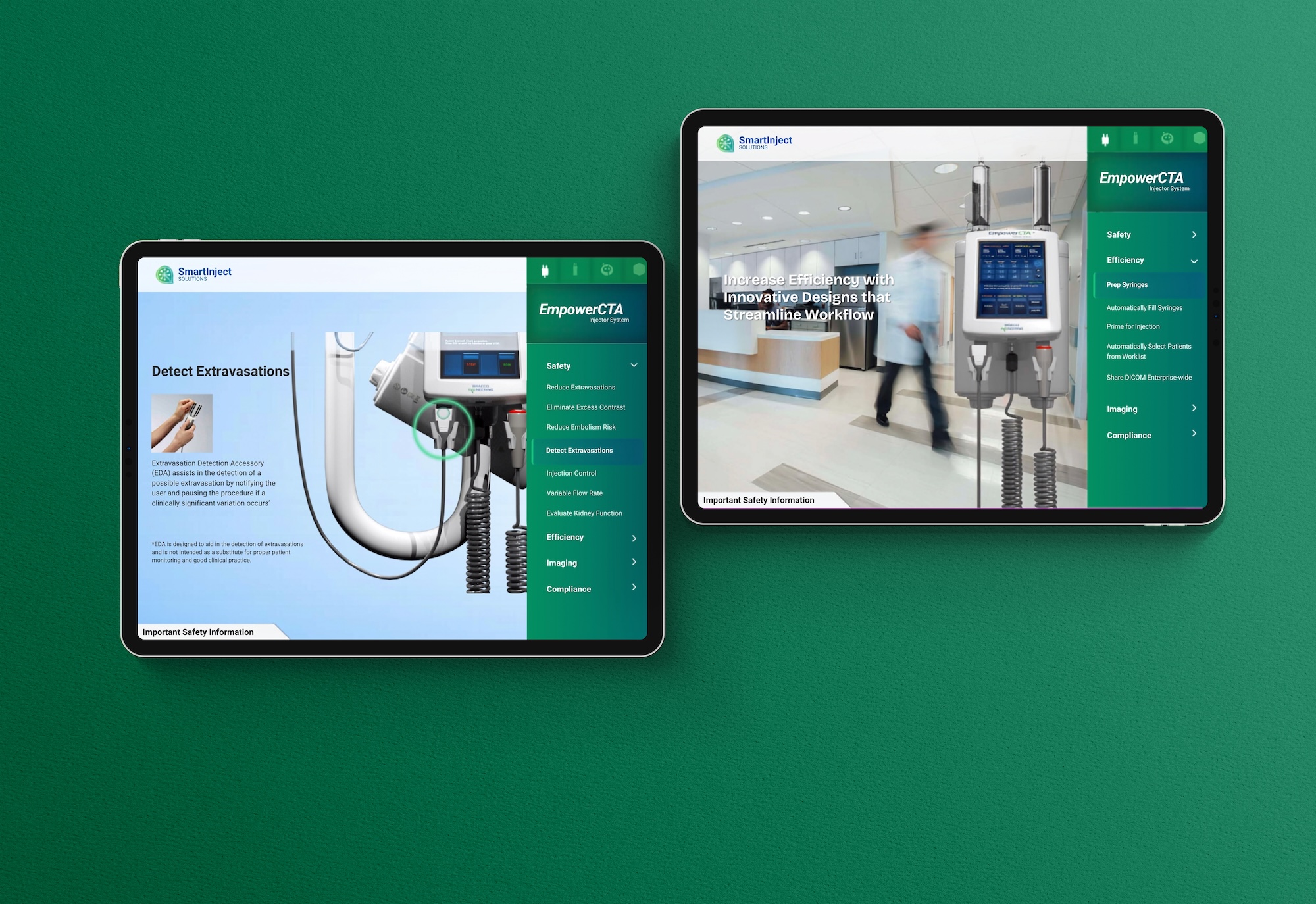
Our public projects document React web applications for IDM and an iOS app for Nerarium. Bracco e-Detailing was developed with Xamarin: this describes completed work and is not a technology recommendation for new apps. For each new product, we assess platforms and requirements before defining the stack.
FROM OUR PORTFOLIO
Our work, in context.
Bracco e-Detailing
Full development of the tablet app for accessing documents, including offline, and contribution to backend development in collaboration with the appointed partner.
Visual identity and an application for a marketplace of vintage furniture and objects. The public project also documents an iOS app released on the App Store.
Offline use must be designed: we define which content or actions are available without a connection and how updates are handled. The Bracco project documents offline access to materials.
Our Bracco portfolio project documents collaboration with a backend partner. For a new project, we agree on responsibilities, interfaces and coordination with everyone involved.
LET’S TALK
What should people be able to do with your app?
Tell us about users, devices, essential features, existing systems and the goal of the first release.
For the first discussion, share your objective, context, timeline and approximate budget. We will get back to you to explore the project and define the next steps.